Monday.com is flexible for project and work management, but the free plan excludes automations and integrations, paid plans impose action quotas, and flexible boards need governance before they scale across departments.
The right response is often better architecture rather than an immediate tool change. This guide explains which limits can be managed inside Monday.com and when another platform is a better fit.
What are the main Monday.com limitations?
The five limits that matter most in a business rollout are plan restrictions, automation action quotas, fragmented board design, interface complexity and the effort required for reliable integrations. Monday.com's free-plan documentation confirms that the free tier does not include automations or integrations.
How do Monday.com automation limits affect scale?
Monday.com counts automation and integration actions against separate monthly quotas. Its current automation and integration pricing guide lists 250 monthly actions for each category on Standard, 25,000 on Pro and 250,000 on Enterprise. A recipe can consume more than one action, so teams should model real event volume rather than count recipes.
For example, a two-way CRM sync that updates several columns can consume quota far faster than a weekly notification. Review usage by workflow, set an owner for every recipe and keep business rules out of duplicated board automations. If you need help designing that operating model, our workflow consulting service covers process design, governance and integration architecture.
If you are evaluating Monday.com for team or enterprise work management, you will want a clear view of where it excels and where it creates friction. This article breaks down the top Monday limitations executives run into once pilots turn into scale, with practical mitigation tactics for each.
You will also get a concise comparison of alternatives, a quick look at how Monday automations can streamline project delivery, and a playbook for extracting measurable ROI with expert help.
What is Monday.com?
Monday, often referred to as Monday.com, is a popular work management and project tracking platform built around boards, items, and customizable views. Teams use it to plan projects, assign work, track progress, automate routine updates, and consolidate reporting through dashboards. Core capabilities include boards and columns, timeline and Gantt views, workload capacity, dashboards, automations, and integrations with tools like Slack, Microsoft Teams, and Google Workspace. For a product overview, see Monday’s official documentation.
1. What limits does the free plan have?
The free plan is designed for individuals, not teams. It caps seats and offers only basic features, which means no automations, no integrations, and limited advanced views. This is fine for a quick personal test, but it is not representative of how your organization will actually use Monday.
- Why this matters: Pilots on the free plan understate real operating value because the very features that drive scale, automations and integrations, are not available. You risk false negatives in evaluation.
- Typical gaps include lack of automation recipes, integration connectors, and advanced project views such as Gantt and workload. See plan breakdowns on the official pricing page.
Executive action:
- Run evaluations on a plan tier that includes automations and integrations, so you test the full operating model.
- Limit the test to one process or product team, then quantify time saved on updates and handoffs.
- Instrument the pilot with a basic ROI model, for example hours saved per week, cycle time before and after, and reduced rework.
2. How does Monday.com pricing become complex?
Monday offers multiple products and tiers, each priced per user, with different limits on automation and integration “actions” per month. Add marketplace apps and possible enterprise add ons, and total cost of ownership becomes hard to predict as adoption grows.
- Why this matters: Unmodeled growth in seats, automations, and integrations can trigger unexpected overages or forced upgrades.
- This challenge is common with modern SaaS, which is why many companies adopt SaaS management practices to avoid sprawl and surprise costs.
How to get pricing under control:
- Model roles and entitlements. Map who truly needs creator rights versus viewer access and whether every user needs the same product tier.
- Estimate monthly automation and integration actions for critical workflows, for example number of tickets synced, notifications fired, or records created, then align to plan limits.
- Centralize marketplace app procurement, avoid team by team purchases, and set approval thresholds.
- Review utilization quarterly, reclaim underused seats, and consolidate teams on shared templates to limit board sprawl.
3. Why does customisation require governance?
Monday is flexible, which is great for teams. It also means creating the perfect workflow can be time consuming. Designing schemas, choosing the right column types, building cross board automations, and standardizing templates all require thoughtful architecture and governance.
- Why this matters: Without guardrails, every team builds boards differently, which fragments data and makes roll up reporting fragile.
- Advanced features like the formula column and multi board automations add power, and complexity. See Monday’s automation and column documentation.
A pragmatic build approach:
- Blueprint the process on one page. Define items, status taxonomy, owner, priority, and a minimal field set you will enforce across teams.
- Start with one golden board and one dashboard, then convert them into templates. Lock naming conventions and column types before scale.
- Pilot with one squad for two sprints. Measure cycle time, WIP, and failure demand. Adjust the schema before rolling out.
- Centralize cross board automations in a system board to make maintenance easier. Document recipes in a shared playbook.
4. When does the interface become difficult to manage?
New users can feel overwhelmed by the number of views, colors, widgets, and notifications. The platform offers power, but first time contributors see cognitive load instead of clarity.
- Why this matters: Adoption stalls if contributors cannot find their tasks, update status quickly, or understand what is due this week.
- Design principle to apply, progressive disclosure. Show only what users need for the immediate step, reveal complexity as needed.
Reduce overload with these simple setup choices:
- Create default views per role, for example My tasks due this week, and set them as board defaults.
- Hide nonessential columns for contributors. Reserve power columns for leads and project managers.
- Use groups to separate backlog, in progress, and completed. Collapse completed by default.
- Throttle notifications. Replace noisy pings with daily digests and scheduled summaries where possible.
5. What limits Monday.com integrations?
Integrations in lower tier plans are limited or not included, and even in higher tiers, monthly action caps can throttle data sync at scale. Some enterprise systems require marketplace apps or external iPaaS for robust two way sync.
- Why this matters: Project health depends on reliable handoffs between tools. If syncs pause when you hit caps, teams fall back to manual updates.
Mitigation options:
- Inventory integration volumes. Estimate actions per month, then choose a tier that covers peak loads with headroom.
- Use native connectors for simple patterns, for example create an item when Jira ticket is created, and adopt an iPaaS like Make, Zapier, or Workato for compound logic and retries.
- Design idempotent syncs and store external IDs in Monday columns so reruns do not duplicate items.
- Set alerting when automation or integration quotas approach 80 percent utilization.
What are the best Monday.com alternatives?
Depending on your operating model, one of these alternatives may fit better, or you may choose to deploy them alongside Monday for specific use cases.
Platform Best for Pricing predictability Automations and integrations Asana Cross functional planning and lightweight portfolio management Per user tiers, simple structure Rules automations, solid ecosystem and APIs ClickUp All in one work hub with docs, goals, and tasks Flat per user tiers with many features included Powerful automations and granular permissions Smartsheet Spreadsheet native teams and PMOs that need control Per user plus add ons Robust automations, Control Center and enterprise connectors Jira Software delivery, agile, and DevOps teams Per user with data center options Native automation for Jira, deep Atlassian integrations Airtable Database centric workflows and custom apps Per user with base limits Automations plus strong API for bespoke solutions
That said, Monday automations can still streamline project management processes when set up with intention. High leverage examples include:
- When a form is submitted, create an item, assign the owner, and set due date based on SLA.
- When status changes to blocked, notify the team channel and create a risk log item.
- When an item moves to done, update a shared dashboard and send a weekly summary to stakeholders.
These recipes remove status meetings, cut handoffs, and accelerate time to resolution. See Monday’s automation guides for patterns and limits.
How can Makeitfuture help with Monday.com automation?
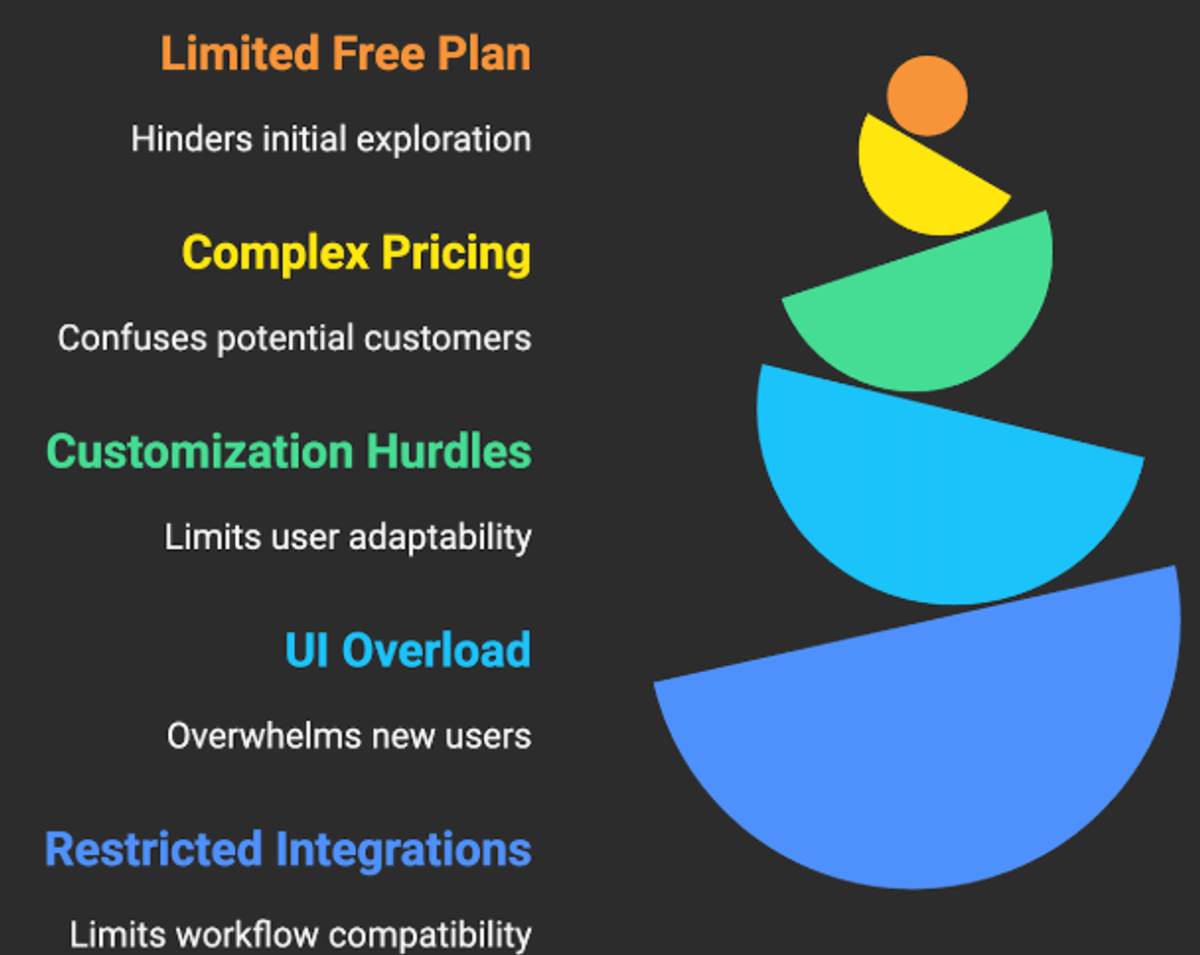
Bottom line: Monday is a capable platform, yet the main Monday limitations you will encounter at scale are a constrained free plan, pricing complexity, customization effort, UI overload for new users, and restricted integrations on lower tiers. None of these are showstoppers if you plan for them. The teams that win design a lean schema, right size their plan, and use automations to eliminate manual status work.
Makeitfuture helps you realize that outcome. We design Monday automations and integration architecture that fit your operating model, then prove ROI fast. Our approach is structured and measurable:
- Discovery and ROI design. We map workflows, quantify manual effort, and define automation targets with baselines.
- Pilot build. In four to six weeks we deliver golden boards, templates, and core automations for one team, with dashboards that track cycle time, throughput, and SLA adherence.
- Scale and integrate. We connect Monday to your CRM, ticketing, and data warehouse using native integrations or iPaaS, with governance to prevent sprawl.
- Adoption and enablement. Role based views, training, and a light Center of Excellence so improvements keep shipping.
If you want a second set of hands to accelerate setup and avoid hidden costs, talk to us.
When should you keep Monday.com?
Keep Monday.com when teams value visual work management, adoption is already strong and the required integrations fit the available action quota. A standard board model with controlled templates can support a large organisation without forcing every process into a different tool.
Consider an alternative when the core requirement is a relational operational database, software delivery, spreadsheet-led portfolio control or a deeply customised internal application. The tool should fit the work. Replacing Monday.com without fixing process ownership will reproduce the same reporting problems elsewhere.
For workflows that cross CRM, finance and delivery systems, automation as a service can keep Monday.com as the user interface while moving complex routing, retries and monitoring into a more suitable integration layer.
Frequently asked questions
What is the biggest limitation of Monday.com?
The biggest limitation depends on volume. Small teams notice plan restrictions, while larger organisations usually struggle with governance across many boards and the monthly action model for automation and integrations.
Does Monday.com's free plan include automations?
No. Monday.com's official free-plan guide states that automations and integrations are unavailable on the Free plan.
Why do Monday.com automations stop running?
Check the account action quota, recipe ownership, connected app permissions and the activity log. Reaching the quota can pause automations, while an expired connection affects the related integration.
Is Monday.com suitable for enterprise use?
It can be, provided the organisation defines board templates, permissions, reporting rules and integration ownership. Enterprise controls do not replace operating governance.
Which Monday.com alternative is best?
Choose by operating model. Jira fits software delivery, Smartsheet suits spreadsheet-led portfolio work, Airtable fits relational operational data, and Asana or ClickUp may suit teams seeking a different task-management model.